Platform features

Explore StoreTree Features for Bookings, Sales & More

See how the platform brings appointments, paid services, downloadable resources, client contacts, and store tools together. Choose a feature to see what it does, or watch the setup tutorials →
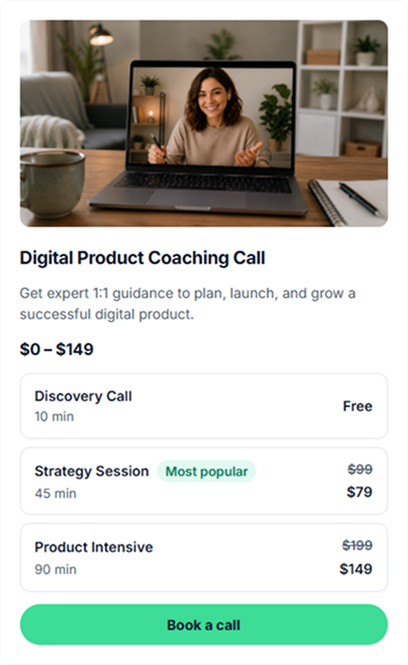
1:1 session booking with availability and meeting details
Bookings

Let clients book a time with you

Offer paid or free 1:1 calls, from business advice and marketing reviews to private lessons. Set your availability and price; clients select an open time and receive the meeting details.
  • Set your schedule and session length
  • Connect Google Calendar and Google Meet
  • Manage upcoming bookings in one place
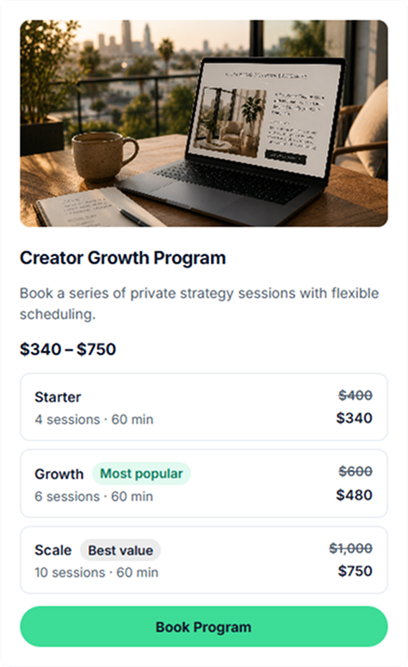
Packages of multiple bookable coaching or consulting sessions
Multi-session offers

Give clients more than one session

Package several coaching, mentoring, consulting, or tutoring sessions into a single offer. Clients purchase their package and schedule the included meetings over time.

  • Set the number of sessions in a package
  • Track used and remaining sessions
  • Define package pricing and duration
Custom consulting services and client deliverables
Services

Present clearly defined client services

Turn marketing audits, business reviews, strategy documents, content work, or other deliverables into offers with their own description and price.
  • Create a dedicated page for each service
  • Describe the scope and expected deliverable
  • Set the price and collect customer details
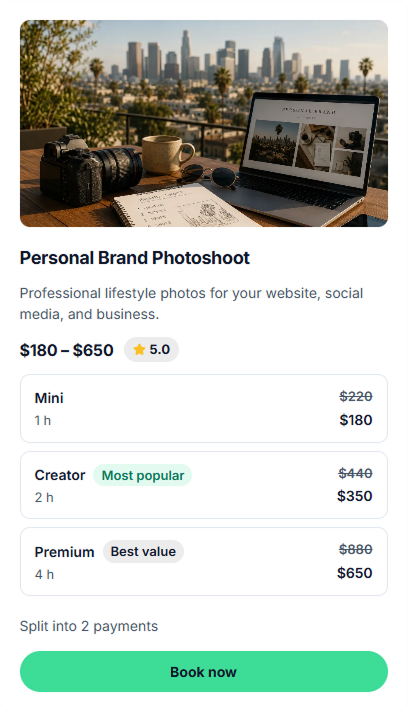
Service booking with client brief and deposit options
Project payments

Collect a project brief and payment details

For larger assignments, explain the service scope and let customers provide requirements before the work begins. Where supported, offer a deposit or installment terms.
  • Collect client briefs and requirements
  • Offer defined service packages
  • Configure deposits or installments where available
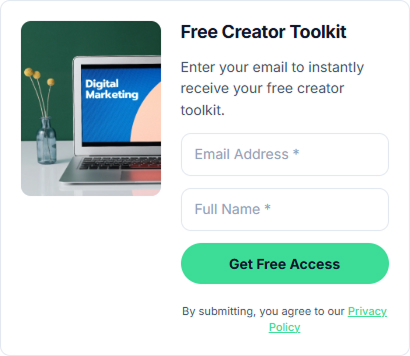
Lead magnet and email capture feature
Audience building

Turn useful resources into new leads

Share a checklist, guide, resource link, or promo code in exchange for an email address. Give interested visitors a useful next step before they are ready to book or buy.
  • Offer files, resources, links, or promo codes
  • Collect contact details via a form
  • Keep captured contacts in your dashboard
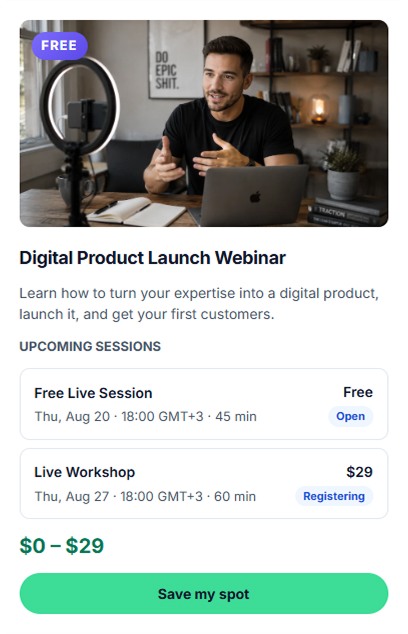
Webinar registration and workshop scheduling tools
Group events

Host workshops, webinars, and group sessions

Publish a free or paid online event, set the time and available seats, and share joining information with registered participants. Useful for training, expert sessions, and live workshops.
  • Schedule event dates and seat limits
  • Offer free or paid registration
  • Share event access details with attendees
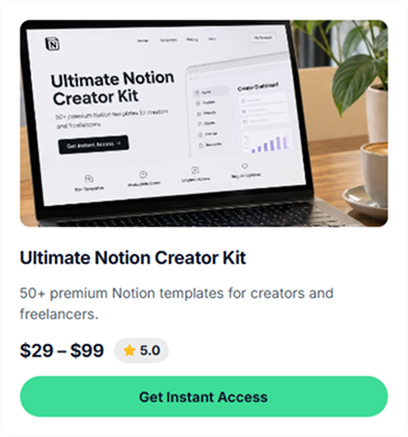
Digital product files with automatic delivery
Digital delivery

Deliver guides and templates after purchase

Offer downloadable resources alongside your services: PDFs, workbooks, design files, audio, and templates. The buyer can access the file after successful payment.
  • Create a dedicated product page
  • Upload supported digital files
  • Provide access automatically after payment
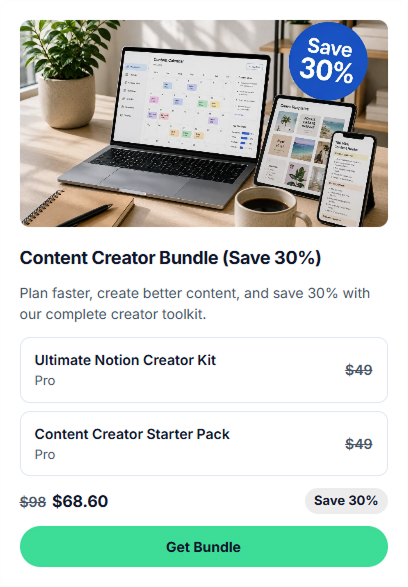
Digital download bundle feature
Product packages

Sell related digital resources together

Combine several existing downloads into one offer — for example, a planning workbook, templates, and checklists — and choose a single bundle price.

  • Group related digital products
  • Set one bundle price
  • Show customers what is included
Newsletter signup and subscriber collection form
Subscribers

Make newsletter signup simple

Add a signup form to your storefront to gather email addresses from people who want your news, launches, or new resources.
  • Display a signup form on your store
  • Collect subscriber email addresses
  • Find contacts in your account
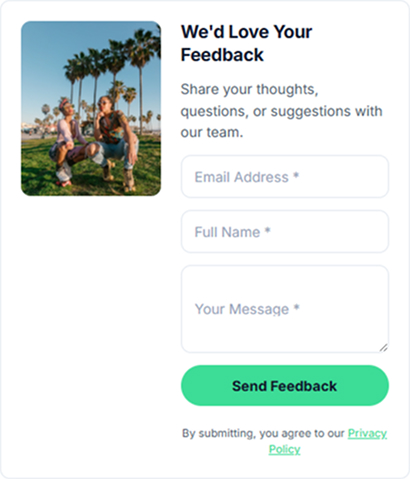
Client contact and feedback form
Client inquiries

Let visitors ask questions before booking

Give potential customers a way to send an inquiry, describe what they need, or share feedback before they commit to a consultation or service.
  • Add a contact or feedback form
  • Collect client questions and requests
  • Show a confirmation after submission
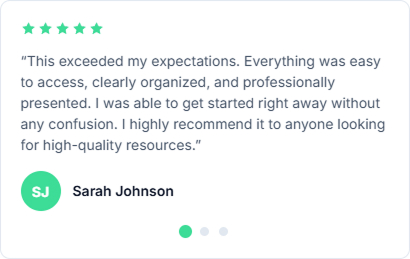
Customer testimonials displayed on a store
Social proof

Make previous client feedback visible

Add genuine customer reviews and ratings near your offers so new visitors can understand other customers’ experiences.

  • Present client quotes and reviews
  • Display supported rating information
  • Choose a suitable presentation layout
Media carousel showing videos and examples of work
Portfolio content

Show the work behind your offers

Use a carousel for videos, images, links, and selected social content. Illustrate your expertise without sending visitors away from the page.

  • Add video, image, and link cards
  • Embed supported social content
  • Use a layout suited to mobile screens
Photo gallery for work samples and portfolio
Visual portfolio

Give visual work its own space

Display work samples, case-study images, photography, or design projects in a gallery that helps visitors assess what you offer.
  • Choose from supported gallery layouts
  • Add image captions and descriptions
  • Link images to related destinations
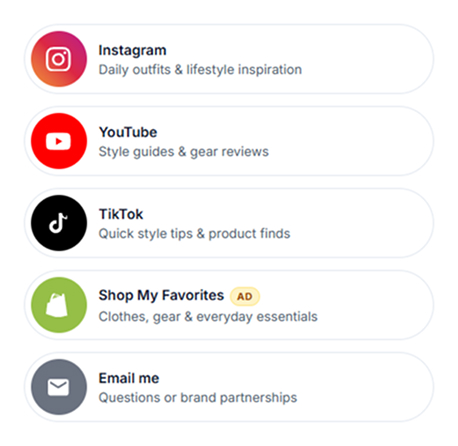
Store block with social and resource links
Navigation

Keep useful links within reach

Bring your social profiles, portfolio, articles, and external resources together in one compact part of your store.

  • Add multiple links in one block
  • Include supported icons
  • Customize link labels and presentation
Text and FAQ content on a storefront
Page content

Answer buyer questions on the page

Use text sections to explain how an offer works, publish announcements, or answer questions about scope, scheduling, and delivery.

  • Write introductions and offer details
  • Display announcements
  • Add expandable questions and answers

The Free plan does not include paid offers. Features and payment options depend on your selected plan and provider eligibility. See current plan limits →

Create your store → Explore store examples
Who it helps

Find the tools that fit your workflow

The same StoreTree platform supports different offers. Explore a profession-specific solution for examples relevant to your work.

Coaches & Mentors

Set up paid sessions, mentorship packages, and resources for clients.

Consultants

Offer strategy calls, audits, advisory work, and structured client deliverables.

Freelancers & Service Providers

Showcase project services, collect briefs, and present pricing options.

Educators & Tutors

Manage bookable lessons, workshop registrations, and learning materials.

Expert Creators & Influencers

Offer templates, digital guides, audience resources, and expert calls.

One connected workflow

From an offer to a customer booking

These are connected capabilities, not separate products you have to assemble yourself.

01
Publish

Present the offer

Create the page for a consultation, service, download, or event, with the information clients need.

02
Book or buy

Let customers choose

Customers choose an available time or purchase an eligible offer using the payment options available to them.

03
Manage

Keep work organized

Follow appointments, purchased products, and submitted details through your StoreTree account.

Built around your work

The practical tools behind every offer

Use the features above for the offer itself; these platform tools help you run the store, coordinate customers, and measure results.

0% platform commission

StoreTree does not add a platform commission to your sales. Your connected payment provider may charge its own processing fees.

Calendar-aware bookings

Use Google Calendar availability for supported session types so clients can choose from the times you make available.

Payment options & eligibility

Payment methods and fees depend on your provider, country and account eligibility. Confirm that payment collection is active before sharing a paid checkout link.

One business dashboard

Manage offers, appointments, customer information, and available sales data without splitting your routine across separate pages.

Your own domain

Eligible plans let you use your existing domain as the public address of your branded store.

Page-level SEO settings

Edit page titles, descriptions, and social previews for supported pages and products. These controls do not guarantee rankings.

Store analytics

Review available information about visits, orders, and revenue, then adjust your offers based on what people actually use.

Responsive storefront pages

Give visitors a store they can browse from a phone, tablet, or desktop — including offer pages and booking entry points.

FAQ

Questions about StoreTree features

How the tools fit together, what the Free plan includes, and where to find more detailed information.

Can I offer consultations and digital products in the same store?

Yes. On eligible paid plans, you can present 1:1 appointments, multi-session offers, custom services, and downloadable resources under one storefront.

What is available on the Free plan?

The Free plan provides a public store page, lead-magnet tools, and content blocks. Paid products and paid bookings require a suitable paid plan. Review the current limits on the pricing page.

Can my clients book appointments using my availability?

Yes, supported booking features use the availability and rules you configure. Google Calendar integration can help prevent appointments from overlapping your calendar.

Do all features require the same subscription?

No. Availability differs by plan. Advanced options such as session packs, custom domains, and some payment arrangements may require a higher plan.

How are payments handled?

StoreTree charges 0% platform commission. Accepted methods, payment availability and processing fees depend on the eligible provider and account setup.
Get started

Choose the tools you need — in one store

Start with the offer you want to publish, then add bookings, content, and contact collection as your business grows.

Create your store → See pricing

✓ 0% platform commission · ✓ Booking and sales tools · ✓ Plan-dependent features